Symptoms: item in missing from a POS/Kiosk or isn't scanning on an SCO.
First thing to always try is restart the device. If NOC was notified of the issue by a different location we may have already sent an update with a fix out.
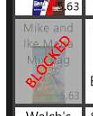
- If it is an item you've had in the past that used to work, check your stock system/make sure the item isn't block on a POS. To block or unblock an item on the POS, press/click and hold until a prompt comes up. If this doesn't help proceed with opening a ticket with NOC.
- If it is a new item to your location/the item has never worked before, open a ticket with NOC and provide the following template filled out
Item Name:
Item Price:
Item Barcode:
(If you don't know what the price should be, include an "example item" NOC can reference when we ask upper management for the price. If the item doesn't have a barcode on it, let NOC know and we will provide a printable barcode.)
- If the item is a promo item for an opening movie, search the concessions channel for updates from NOC on it's creation. If NOCs updates within the items thread don't resolve your issue, @ us within the thread.
